Working Codes for Defend Bunker from Zombies
Redeem free Shards and Shard Potions in the Shop — updated when new promo codes drop.
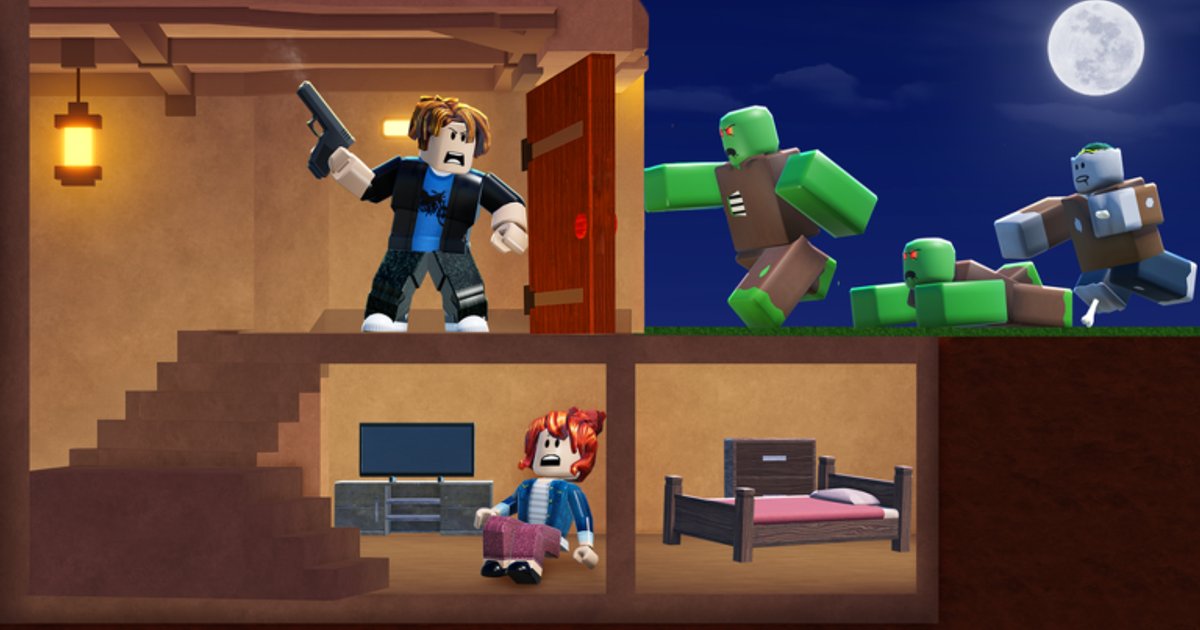
Defend Bunker from Zombies is a Roblox survival bunker defense experience by Bunker Corp! (place ID 134361906638337). Many players also call it Survive the Zombies (STZ) — same game, same Shop, same codes ecosystem. You loot by day, fight waves at night, and spend Shards on upgrades. Promo codes are the fastest way to grab premium currency and boost potions without spending Robux. This hub lists every working code we track, what each reward does, and where to go next if a code fails.
Codes redeem inside the game, not in Roblox account settings or chat. Most players use the Shop → codes box; some UI builds also show a Codes button near the top of the HUD that opens the same redemption field. If you have never redeemed before, read How to Redeem Codes for both entry points and troubleshooting. For finding future promos, see How to Get More Codes. For what Shards buy and how potions stack, see Shard Rewards Explained.
Active codes (verified August 2026)
These codes were confirmed working on the live build in August 2026. Always try them exactly as written — codes are usually case-sensitive and do not include spaces.
| Code | Reward | Notes |
|---|---|---|
| UPDATE_01 | 100 Shards | Launch/update celebration code; redeem early before it expires |
| FREEPOTIONS | 3× X2 Shards Potions + 3× X3 Shards Potions | Boosts Shard income temporarily; great after a long night run |
UPDATE_01 gives a flat 100 Shards you can spend immediately on class unlocks, bunker upgrades, or cosmetics depending on what the Shop offers in your session. FREEPOTIONS is especially valuable when you plan a farming session — use X2 and X3 potions during high-yield activities rather than idle menu time.
How redemption works (quick version)
- Launch Defend Bunker from Zombies on Roblox (game page).
- Open the Shop from the main bunker UI or tap the Codes button if your HUD shows it at the top.
- Find the codes input field (promo / redeem box inside Shop).
- Type the code exactly — e.g.
UPDATE_01orFREEPOTIONS— and confirm. - Check your Shards balance or inventory for potions; rewards usually appear instantly.
If you see “invalid” or “expired,” the code may have been rotated. Join the official Discord community (linked on our Links page) — developers and moderators often announce replacements there before they hit social media.
Why Shards matter in this game
Unlike wood, food, or fuel that you manage inside a run, Shards are the persistent premium currency tied to the Shop. They help you progress faster across sessions in a game built around day loot / night waves rhythm: you explore and gather resources during daylight, then survive escalating zombie assaults after dark. Shards shortcut grind on classes, permanent boosts, and quality-of-life purchases that would otherwise take many nights to afford.
Shard potions from codes like FREEPOTIONS multiply earnings for a limited time. Pair them with productive play — clearing objectives, rescuing survivors, crafting defenses — rather than standing in the bunker between waves. See Resource Management for how in-run economy (wood, hunger, power) differs from Shards.
When new codes typically drop
Bunker Corp! tends to release codes around:
- Major updates (new classes, maps, or wave types)
- Milestone likes/favorites on the Roblox experience page
- Holiday or weekend events inside the game
- Discord announcements for the active player base
Bookmark this page and check back after each patch noted on Updates. We remove expired entries rather than leaving dead codes that waste your time.
Codes vs in-run rewards
Do not confuse Shop codes with night wave completion rewards or survivor rescue payouts. Codes are one-time or limited promotional grants entered manually. In-run loot — wood for Base Building, food for hunger, fuel for power — comes from exploration and crafting during daylight. Both systems reward active play; codes simply give you a head start on meta progression.
New players should redeem every working code before their first serious night defense, then follow Getting Started to learn classes, controls, and the day/night loop. Veterans redeem potions right before a coordinated multiplayer session when the whole squad can capitalize on boosted Shard gains.
Related pages
- How to Redeem Codes — Shop codes box and Codes button paths
- How to Get More Codes — Discord STZ alerts and milestone tracking
- Shard Rewards Explained — what Shards and potions do in the Shop
- Getting Started — beginner walkthrough including code tips
- Links — official Discord (https://discord.com/invite/T6zXPpu94m) for code alerts
Frequently Asked Questions
Quick answers to the most common questions.
What is the best code to redeem first in Defend Bunker from Zombies?
Redeem UPDATE_01 first for 100 Shards, then FREEPOTIONS for six Shard boost potions. Shards are permanent currency; potions are best saved for an active farming session.
Where do I enter codes in Defend Bunker from Zombies?
Open the in-game Shop and use the codes redeem box. Codes are not entered through Roblox settings or the experience chat bar.
Why does my code say invalid or expired?
The code may be mistyped, case-wrong, or retired after an update. Double-check spelling, then watch the official Discord linked on our Links page for replacement codes.
Do codes work in private servers?
Most Roblox experience codes work in any server instance, including private ones, as long as the code is still active on the live game build. If it fails everywhere, the code is likely expired.
Can I redeem the same code on multiple accounts?
Typically each Roblox account can redeem a one-time promo code once per code campaign. Alt accounts can redeem separately if the code is still active.
How often should I check this codes page?
Check after every major game update or when the developer posts on Discord. We update this hub when new working codes are confirmed.